
Download Hotkey Resolution Changer – Free, Secure & Fast Resolution Switcher for Windows & Mac
Hotkey Resolution Changer is a lightweight, efficient software tool designed for professionals and casual users who frequently need to switch between different screen resolutions. Whether you're a web designer testing responsive layouts, a developer debugging UI elements, or a gamer optimizing display settings, this app simplifies the process. With just a single keyboard shortcut, you can instantly switch to any of nine pre-configured resolutions—complete with custom color depth and refresh rate settings.
No more navigating through complex display settings or restarting your system. The app runs silently in the system tray, ensuring minimal disruption while delivering maximum convenience. Available for Windows and Mac, Hotkey Resolution Changer offers a seamless experience across platforms.
Its intuitive interface allows you to set up multiple configurations in seconds, making it ideal for multi-monitor setups, remote work environments, or content creation workflows. The tool is free to download and update regularly, ensuring compatibility with the latest operating systems. For anyone who values speed, precision, and control over their display settings, Hotkey Resolution Changer is a must-have utility.
Key Features of Hotkey Resolution Changer
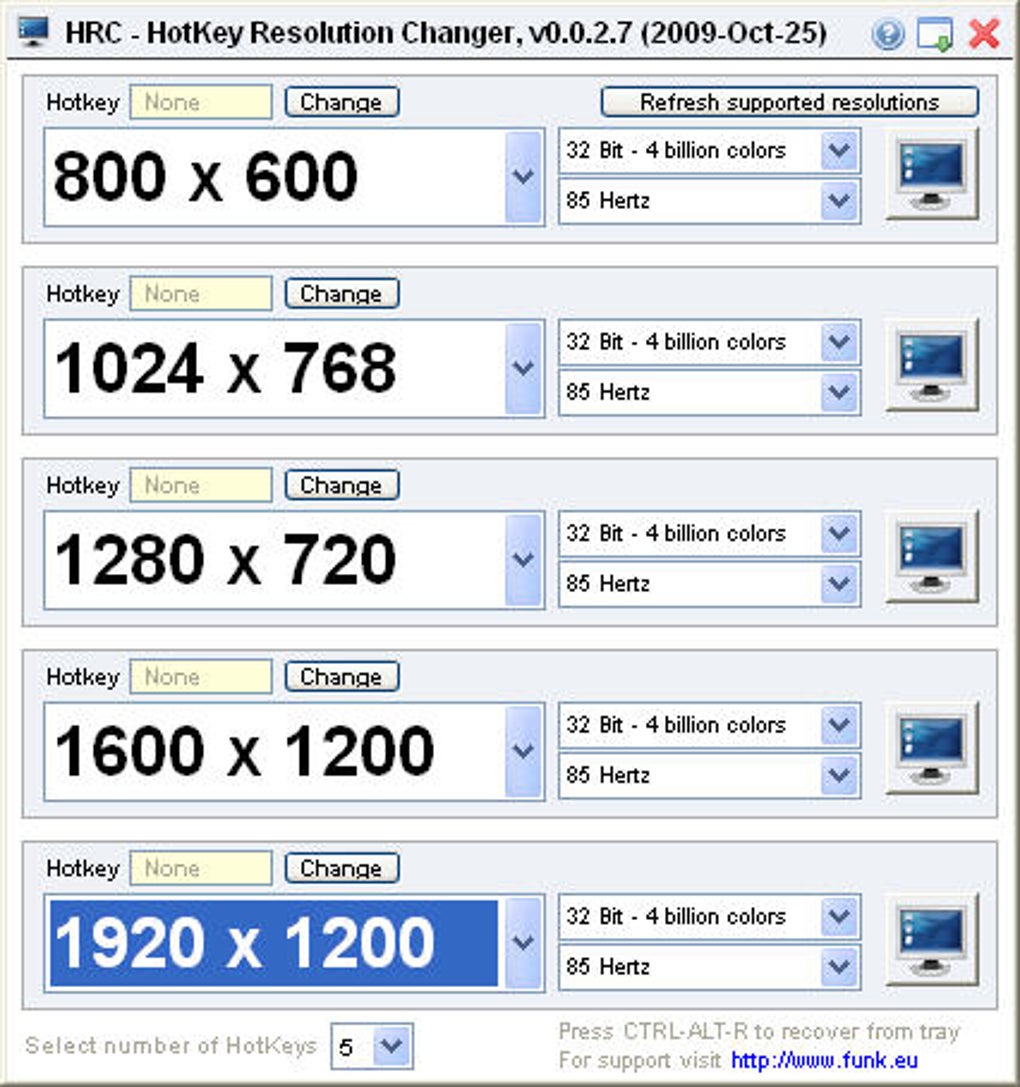
Hotkey Resolution Changer stands out in the crowded category of display management tools thanks to its smart, user-centric design and powerful functionality. One of its most impressive features is the ability to save up to nine different screen configurations—each with customizable resolution, color depth, and refresh rate. This means you can prepare settings for common workflows, such as 1920x1080 for standard desktop use, 3840x2160 for 4K content creation, or 1280x720 for testing mobile responsiveness—all accessible via a single keyboard shortcut. The app’s hotkey system is fully customizable, allowing you to assign unique key combinations for each preset, streamlining your workflow significantly.
Beyond speed and convenience, Hotkey Resolution Changer ensures stability and reliability. It integrates smoothly with Windows and Mac operating systems, detecting display changes automatically and applying them without lag or graphical glitches. The software also includes a system tray icon for quick access, so you can verify active settings or reconfigure presets without opening the main window. Another standout feature is its minimal resource usage—despite its powerful capabilities, the app consumes almost no CPU or RAM, making it ideal for older machines or multitasking-heavy environments.
Additionally, the tool supports multiple monitors, allowing you to define different resolution settings for each display independently. This is particularly useful for professionals managing dual or triple monitor setups. Whether you're working on a laptop connected to external displays or managing a high-end workstation, Hotkey Resolution Changer adapts seamlessly. The interface is clean and distraction-free, focusing solely on functionality. With regular updates and a strong community following, this tool continues to evolve, ensuring long-term usability and compatibility with future OS updates.
How to Install and Use Hotkey Resolution Changer
Installing Hotkey Resolution Changer is a breeze, taking less than two minutes on both Windows and Mac systems. Begin by visiting the official download page and selecting the version compatible with your operating system. The installer is lightweight—typically under 5MB—and includes no bundled adware or third-party software. Once downloaded, run the installer and follow the on-screen prompts. The process is straightforward: accept the license agreement, choose your installation directory (default is recommended), and click “Install.”
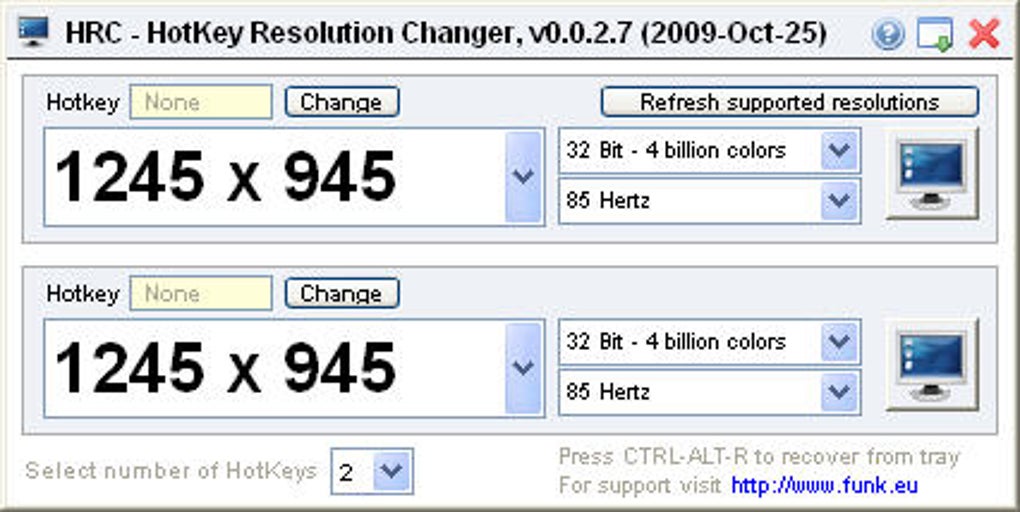
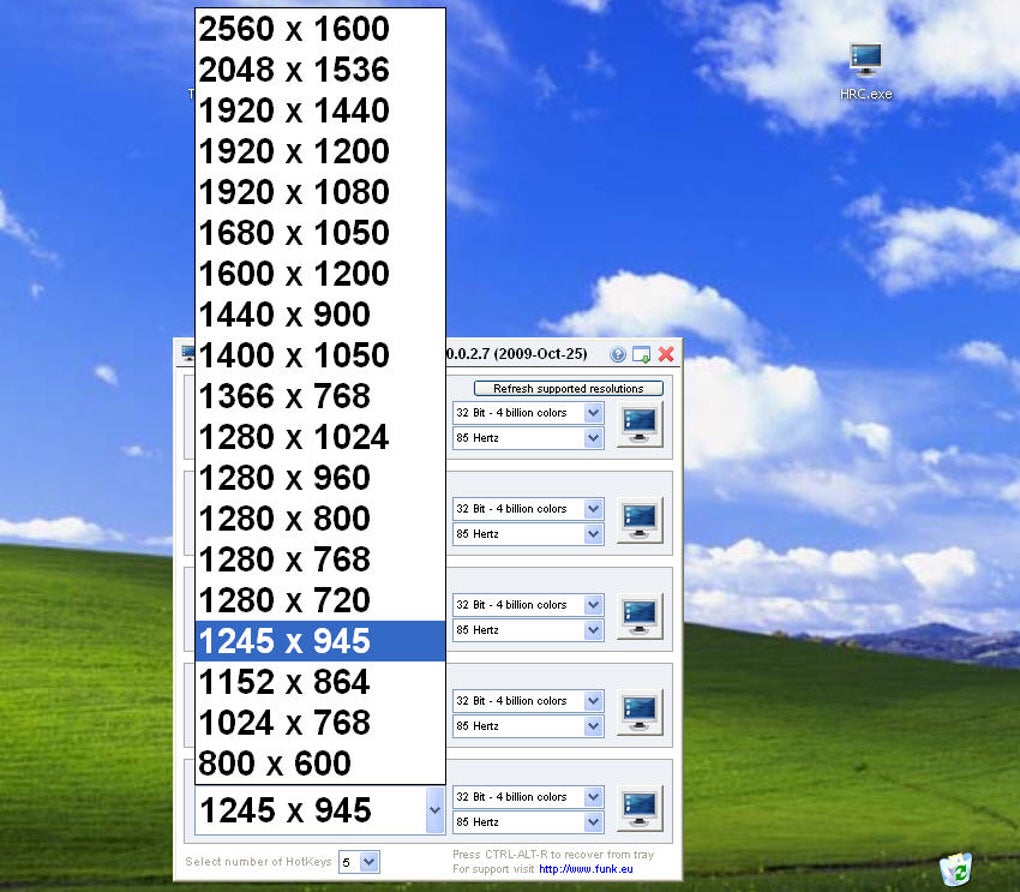
After installation, launch the app from the Start menu (Windows) or Applications folder (Mac). You’ll see a small icon in the system tray, indicating the app is running. To set up your first resolution, click the icon and select “Add Configuration.” A window will appear where you can input the desired resolution (e.g., 1920x1080), choose a color depth (8-bit, 16-bit, 32-bit), and set a refresh rate (e.g., 60Hz, 120Hz). You can also name each preset for easy identification—such as “Web Dev,” “4K Editing,” or “Gaming Mode.”
Once configured, assign a keyboard hotkey to each preset. For example, press Ctrl+Alt+1 to activate your “Web Dev” setting. The hotkey system supports standard keys but does not allow mouse-based combinations, which is a minor limitation.
After saving, you can test the shortcut immediately. The switch happens almost instantly, with no flicker or delay. To manage or edit presets, simply right-click the system tray icon and choose “Edit Configurations.” The app also supports automatic detection of connected displays, so your settings adapt when you plug in or unplug monitors.
Compatibility and System Requirements
Hotkey Resolution Changer is designed to be compatible with a wide range of devices and operating systems. It supports all major versions of Windows, including Windows 10, Windows 11, and Windows Server editions. On Mac, it runs smoothly on macOS Mojave (10.14) and later, including the latest macOS Sonoma. This broad compatibility ensures that both enterprise users and individual creators can benefit from the tool regardless of their hardware setup.
The software has minimal system requirements, making it accessible even on older or low-spec machines. It requires at least 1 GB of RAM, 50 MB of free disk space, and a modern graphics card capable of handling the resolutions you plan to use. It works with integrated and dedicated GPUs from Intel, AMD, and NVIDIA, ensuring broad hardware support. Additionally, it supports multiple display configurations, including dual, triple, and extended desktop setups, which is essential for professionals using multiple monitors.
For users with advanced needs, the app integrates well with third-party tools like display calibration software and remote desktop applications. It doesn’t interfere with existing display drivers or system updates, meaning you can use it alongside other utilities without conflicts. The app also respects system security settings, so it won’t trigger antivirus warnings or firewall blocks when used normally. Whether you're using a high-end gaming rig or a budget laptop, Hotkey Resolution Changer delivers consistent performance across the board.
Pros and Cons of Hotkey Resolution Changer
- Pros:
- Instant resolution switching with customizable hotkeys
- Supports up to nine different configurations
- Customizable color depth and refresh rate per preset
- Lightweight and low system resource usage
- Runs silently in the system tray
- Free to download and update regularly
- Compatible with Windows and Mac
- Perfect for web designers, developers, and content creators
- Cons:
- Cannot use mouse-based combinations for hotkeys
- Limited to nine presets (though this is sufficient for most users)
- No built-in preview feature for new settings
- Advanced users may desire more automation options
- Occasional minor UI lag on older systems
Frequently Asked Questions (FAQ)
How do I download Hotkey Resolution Changer?
Visit the official website and click the “Download” button. Choose the version for your operating system—Windows or Mac—and run the installer. The process is free and secure, with no hidden costs or ads.
Can I use Hotkey Resolution Changer on multiple monitors?
Yes, the app fully supports multi-monitor setups. You can assign different resolutions, refresh rates, and color depths to each display independently.
Is Hotkey Resolution Changer free to use?
Yes, the core functionality is completely free. There are no trial limitations or paywalls. The developers offer regular updates at no cost.
Why isn’t my hotkey working?
Ensure the app is running in the system tray. Check if the hotkey conflicts with another program. Restart the app or reassign the key combination to resolve the issue.
Does Hotkey Resolution Changer work with laptops?
Absolutely. It works seamlessly with laptops, especially when connected to external monitors. It automatically detects display changes and applies the correct settings.
Final Verdict: Is Hotkey Resolution Changer Worth It?
Hotkey Resolution Changer delivers on its promise: a fast, reliable, and user-friendly way to switch between screen resolutions. For professionals in web design, software development, or digital content creation, this tool eliminates the tedious process of manually adjusting display settings. Its ability to save and recall up to nine configurations with a single keystroke saves valuable time and enhances workflow efficiency. The app is secure, lightweight, and regularly updated, ensuring long-term usability.
While it lacks support for mouse-based hotkey combinations and has a modest limit on presets, these are minor trade-offs given the overall performance and value. The free nature of the software makes it an exceptional choice for anyone needing quick resolution switching. Whether you're testing responsive websites, optimizing game graphics, or managing multiple displays, Hotkey Resolution Changer is a must-have utility.
Ready to streamline your workflow? Download Hotkey Resolution Changer today and experience the power of instant resolution switching—fast, secure, and free.







